Logo

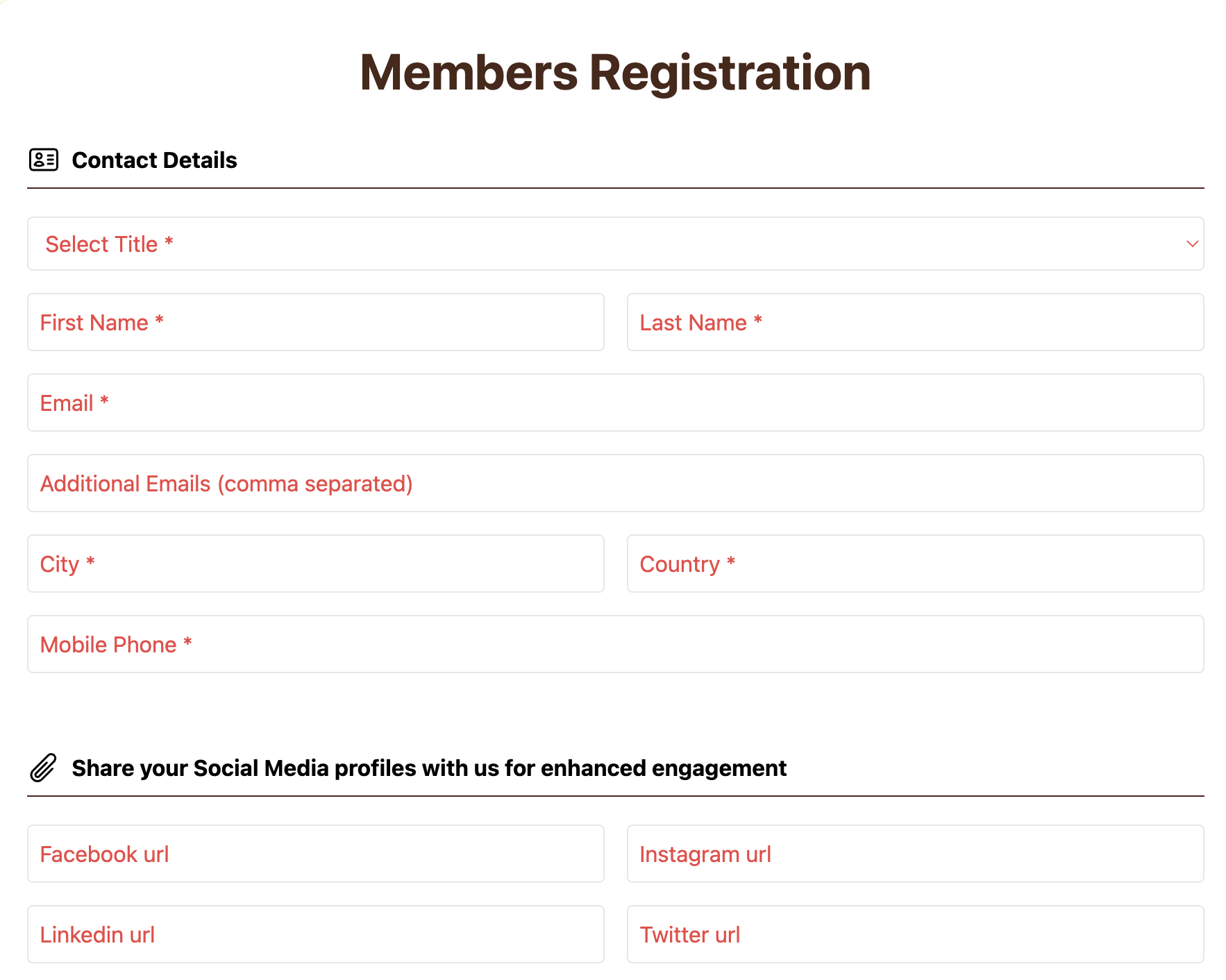
First step

In this first step, please fill in the registration form with your personal and contact details. Make sure all required information is entered correctly to continue with your registration. Once your registration is submitted, you will receive an email to set new password and activate your account. Register Now

Conference
Conference

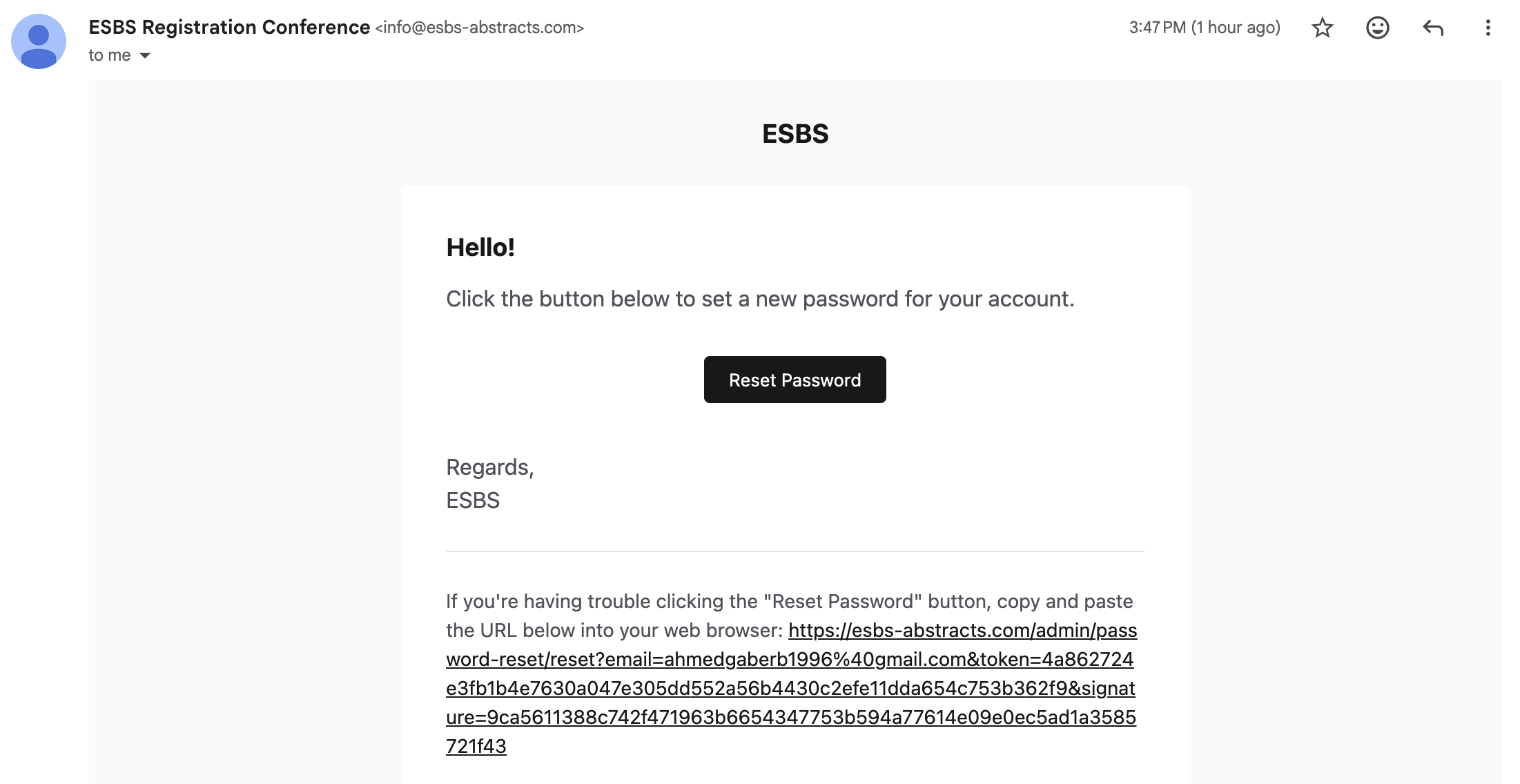
Second step

After submitting your registration, a password setup email will be sent to your registered email address. Please open the email and click the Reset Password button to create your password and activate your account.

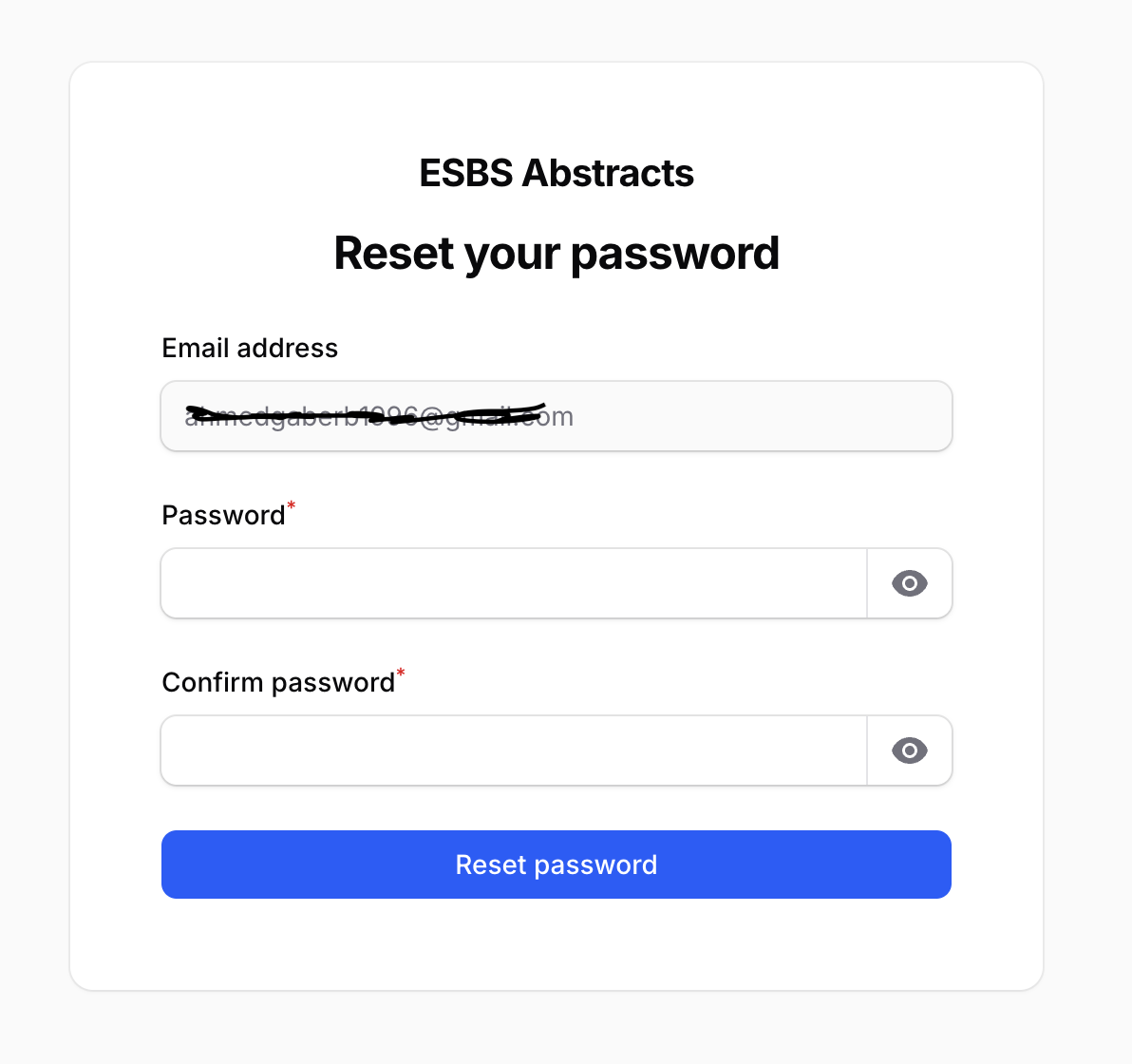
Third Step

After clicking the Reset Password button in the email, you will be redirected to the password setup page. Enter your new password in the Password field, then enter the same password again in the Confirm Password field. Once both passwords match, click Reset Password to activate your account and complete the registration process.
Conference
Conference

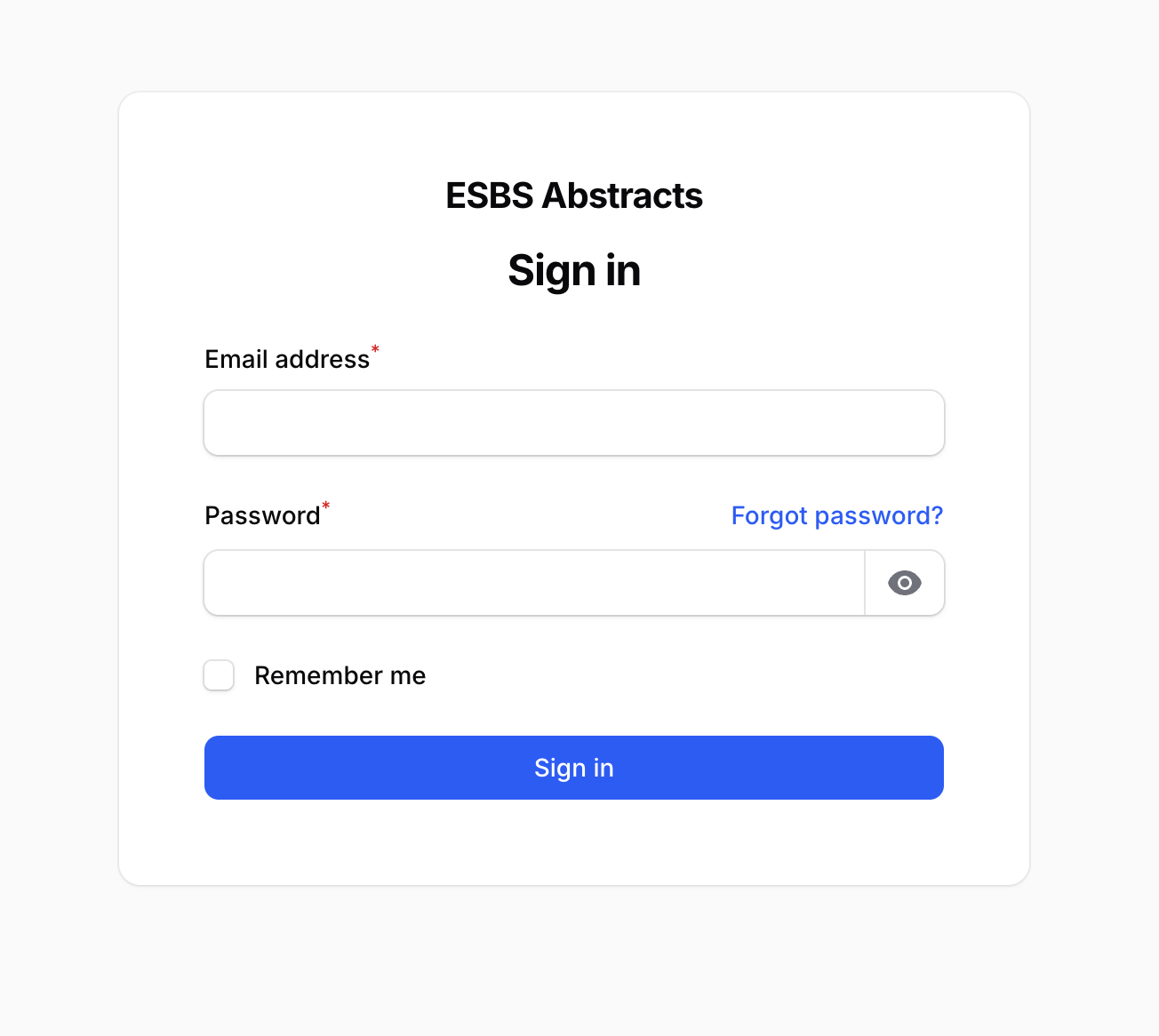
Fourth Step

In this fourth step, sign in using your registered email address and the new password you have just created. Enter your credentials and click Sign In to access your account and continue using the system.

Fifth Step

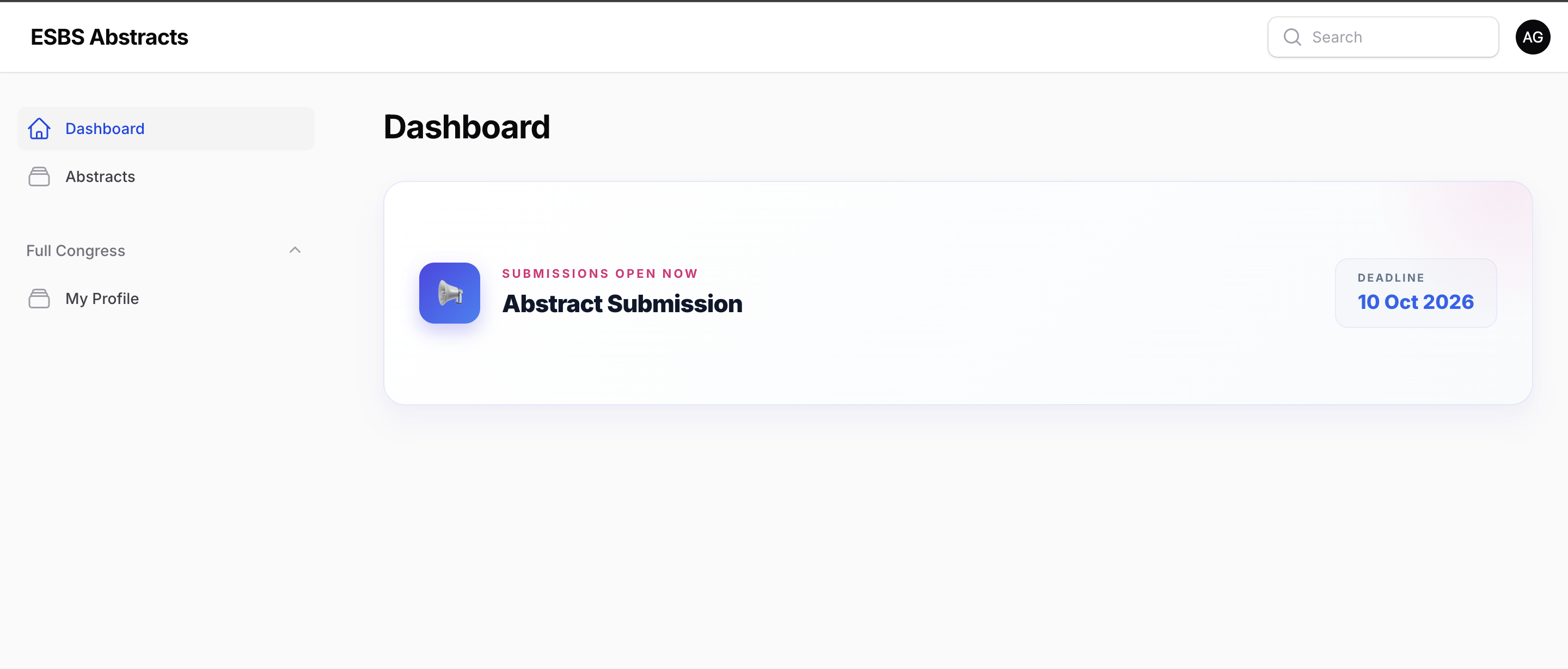
Once you have successfully signed in, you will be redirected to your dashboard. From the menu on the left-hand side, click on Abstracts to access the abstract submission section and continue with your submission.
Conference
Conference

Sixth Step

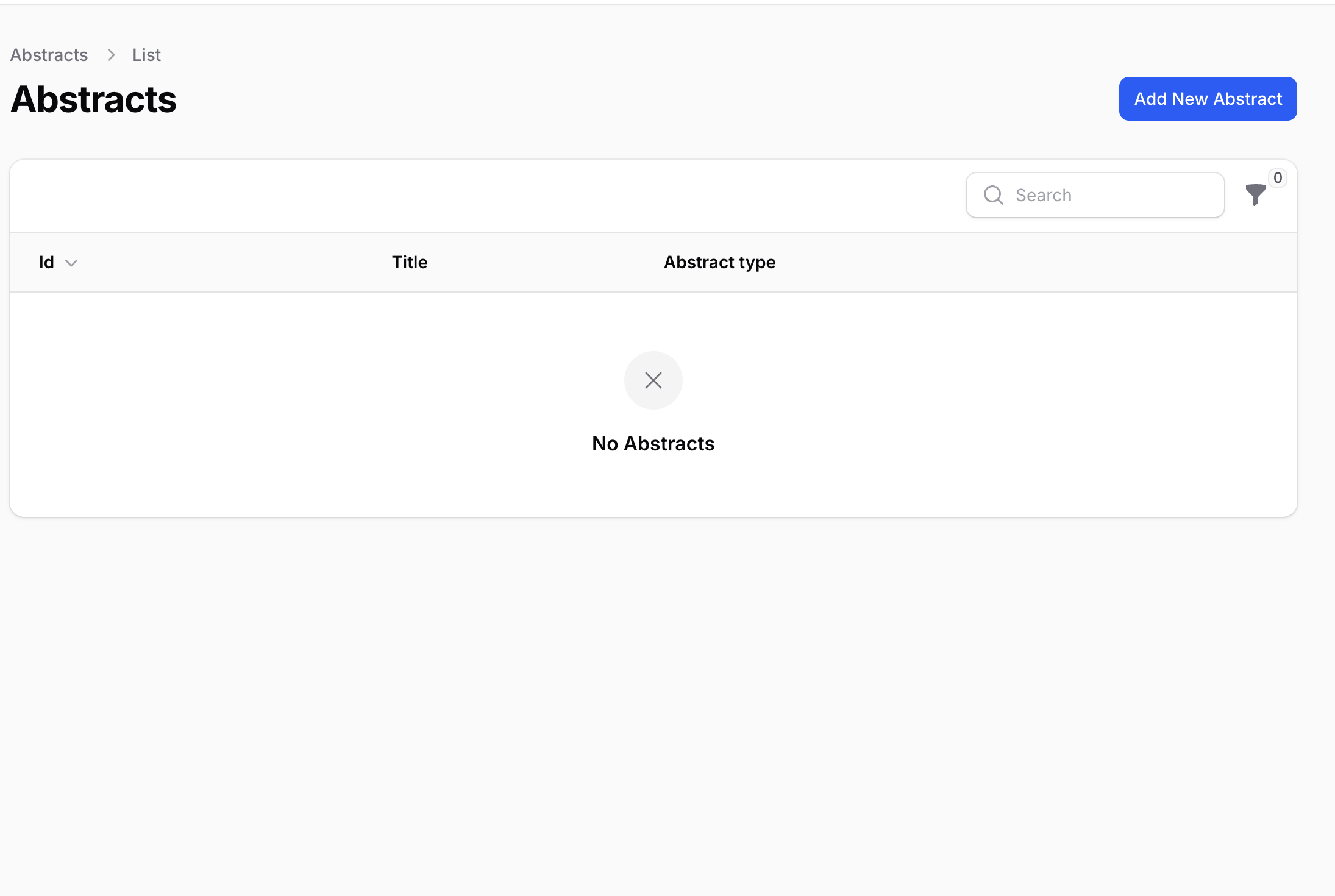
To submit a new abstract, click the Add New Abstract button. This will open the abstract submission form where you can complete and submit your abstract.

Seventh Step

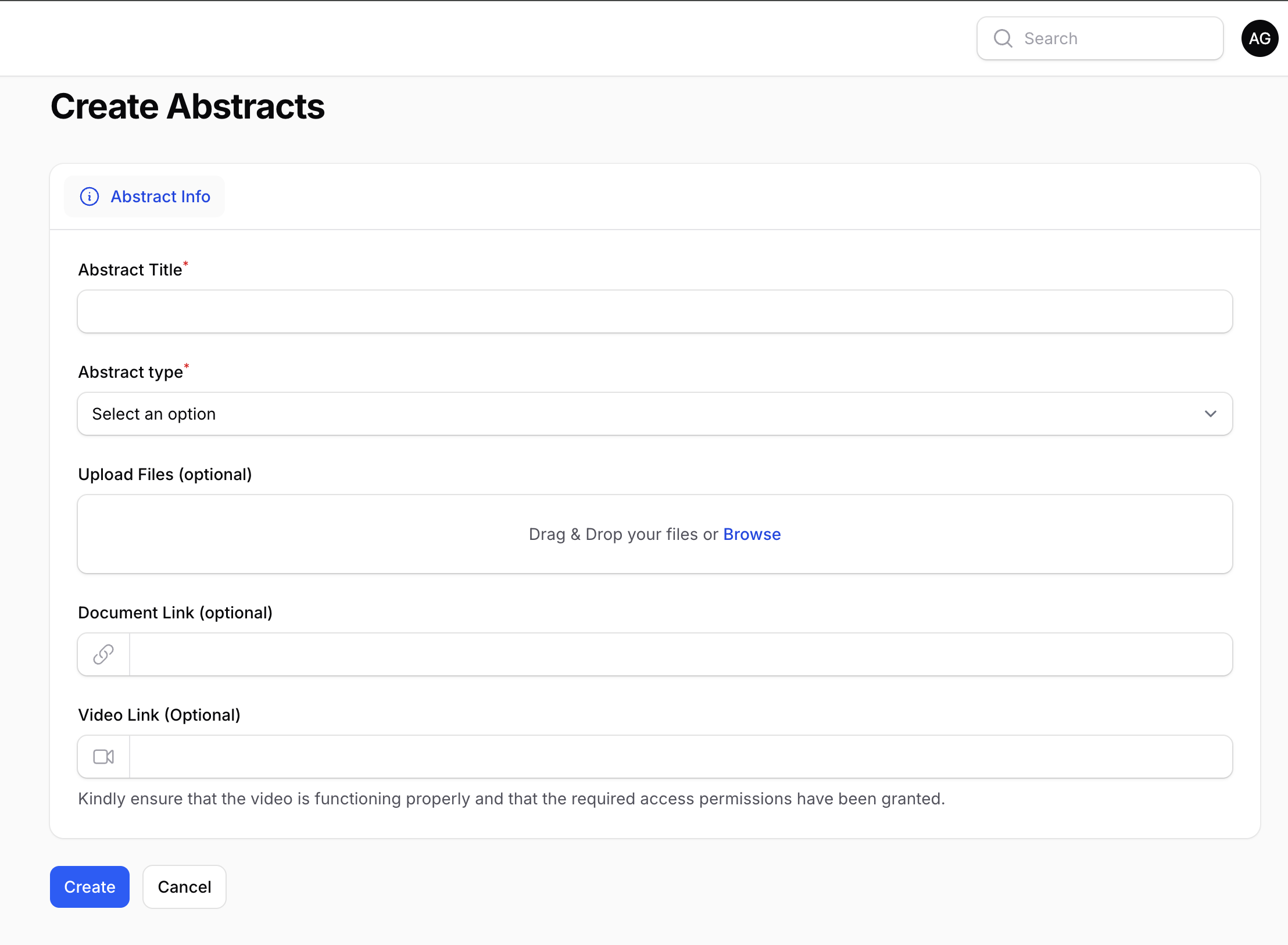
In this step, complete the abstract submission form by entering the required information, including the abstract title and abstract type. If you have any supporting files, you may upload them using the file upload section. You can also provide a document link or video link if applicable. Once all information has been entered, click Create to submit your abstract.
Conference